
Over the last few days I’ve been moving the KNET and HubN router configurations into Ansible. This has been on the list for a while.
The network had grown across several sites, upstreams, WireGuard links, BGP policies and the usual pile of exceptions which made sense when I added them. It worked, but changing a tunnel meant editing both ends and remembering every other place that knew about it. A change which looked local could also change which exit a whole site preferred. That was getting annoying, and eventually it was going to bite me.
The goal wasn’t to redesign the network. I wanted to describe the network I already had, render the configurations locally, and see exactly what Ansible planned to change before it touched a router.
Describing a Link Once
The first thing I wanted to get rid of was defining the same link twice.
A link now has two endpoints and a relationship between them. From that one definition, Ansible works out the interface on each router, the peer address, the routes needed to reach it, the relevant firewall membership and, where needed, the BGP session on top.
That means I can’t add one side of a tunnel and forget the other, which is surprisingly easy to do when editing routers by hand. Renaming an interface in the topology also updates the places where routing and monitoring use it instead of leaving an old name hidden in another file.
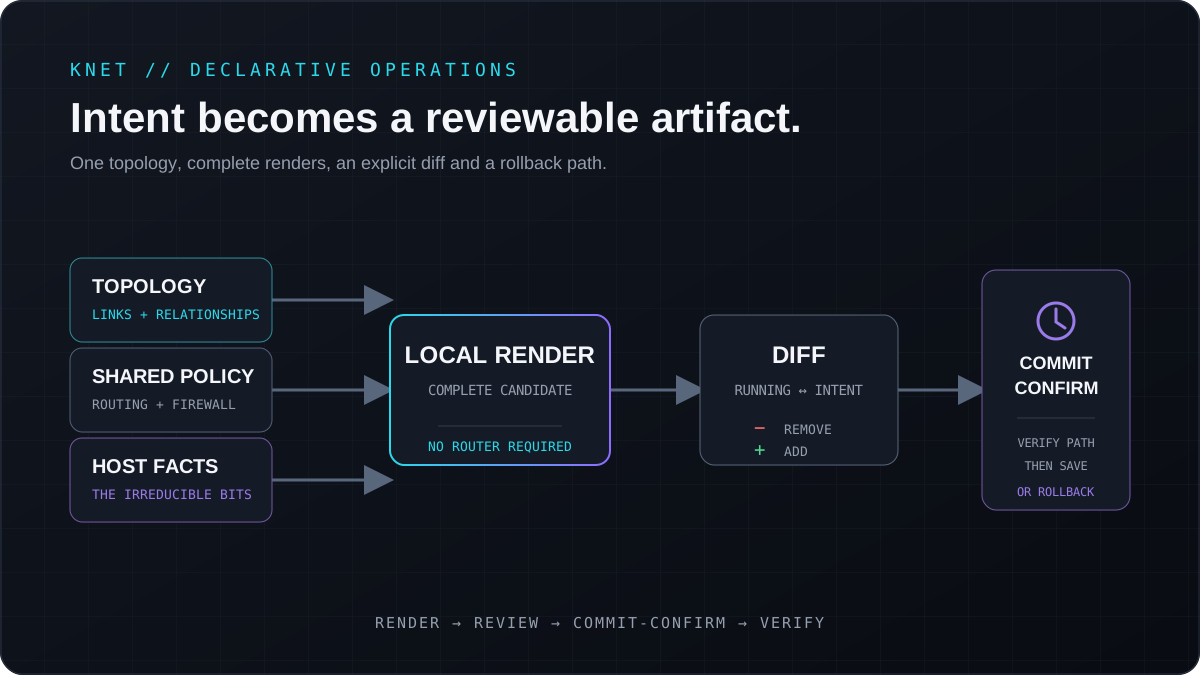
The topology and policy are the source. The generated router commands are there to be reviewed before deployment.
KNET has multiple upstream edges and site routers joined by an encrypted mesh. Most of them run VyOS, but one edge is a Debian system using BIRD, Pathvector and Shorewall. I wasn’t going to replace a working router just to make the Ansible roles look tidier, so both platforms use the same topology and render it in their own way.
This was a little more work, but it lets the data describe the network without pretending every router is identical.
Rendering the Router Configuration
VyOS works quite nicely for this because its configuration can be expressed as a tree of set commands. The Ansible role builds that tree from the shared fleet settings, the topology and the bits which really do belong to one router.
The complete candidate is rendered locally before Ansible connects to anything. I can search it for placeholders, compare it with a known configuration and inspect the whole change without involving a production router.
The first milestone was simply reproducing what was already running. I imported and redacted the existing configurations, then used them as references while building the templates. Mixing a network redesign into the automation work would have made it much harder to tell whether a difference was intentional or a bug.
Once the renders matched, I started moving the repeated pieces into shared policy. Interface descriptions use the same format across the fleet. Traffic preference is an ordered list instead of a collection of unrelated prepend and local-preference values. Prefix authorization is explicit data, and common monitoring and management settings live in shared layers. Odd local services stay with the host that actually runs them.
The host files aren’t tiny, and I’m fine with that. Trying to hide every exception behind another abstraction would make the automation harder to understand than the configurations it replaced.
Deploying Without Locking Myself Out
Automating routers is a great way to lock yourself out of them, so the deployment path got quite a bit of attention.
Ansible first fetches the running configuration and works out the difference locally. If nothing has changed, it stops without opening a configuration session. If there is a change, I get to review every removal and addition before anything is staged.
VyOS then builds the candidate in one configuration session and applies it with commit-confirm. Unless the play can still reach the router and confirm the change, the router rolls itself back. This doesn’t make a bad configuration harmless, but it does provide a useful escape route.
Secret material stays in Ansible Vault. Missing values render as very obvious redaction markers, so an incomplete configuration should be difficult to mistake for one that’s ready to deploy.
There is still a pause before the commit. I want Ansible to handle the repetitive work, but I still want a chance to look at the diff and decide whether it makes sense.
Generating the HubN Policy
The same routers also carry HubN, but its routing policy is different from KNET’s.
KNET is my own multi-site network. HubN connects independent participants, and the relationship with each participant determines what should be accepted, what should be exported and how the routes should be marked. Copying all of that policy into every neighbour would produce a lot of route maps and very little explanation.
Instead, the topology says what kind of relationship a peer has and the templates generate the policy for it. That includes route validation, prefix filters, communities and blackhole handling. If the relationship or preference changes, the rendered diff shows every command affected by it before I deploy anything.
Validation beyond Ansible
The automation now covers the routed KNET fleet, the HubN policy carried by it, an adjacent internal gateway and the different operating systems at the edges. I can add a link once, render both ends, see where a router has drifted and deploy through the same process.
The declared configuration still only tells me what the network should be doing. It doesn’t tell me which path traffic is taking right now, whether a peer is quietly flapping, whether flow telemetry has gone stale or whether a backup link became the primary one at three in the morning.
That became the next project.
Next: Monitoring KNET and HubN.